
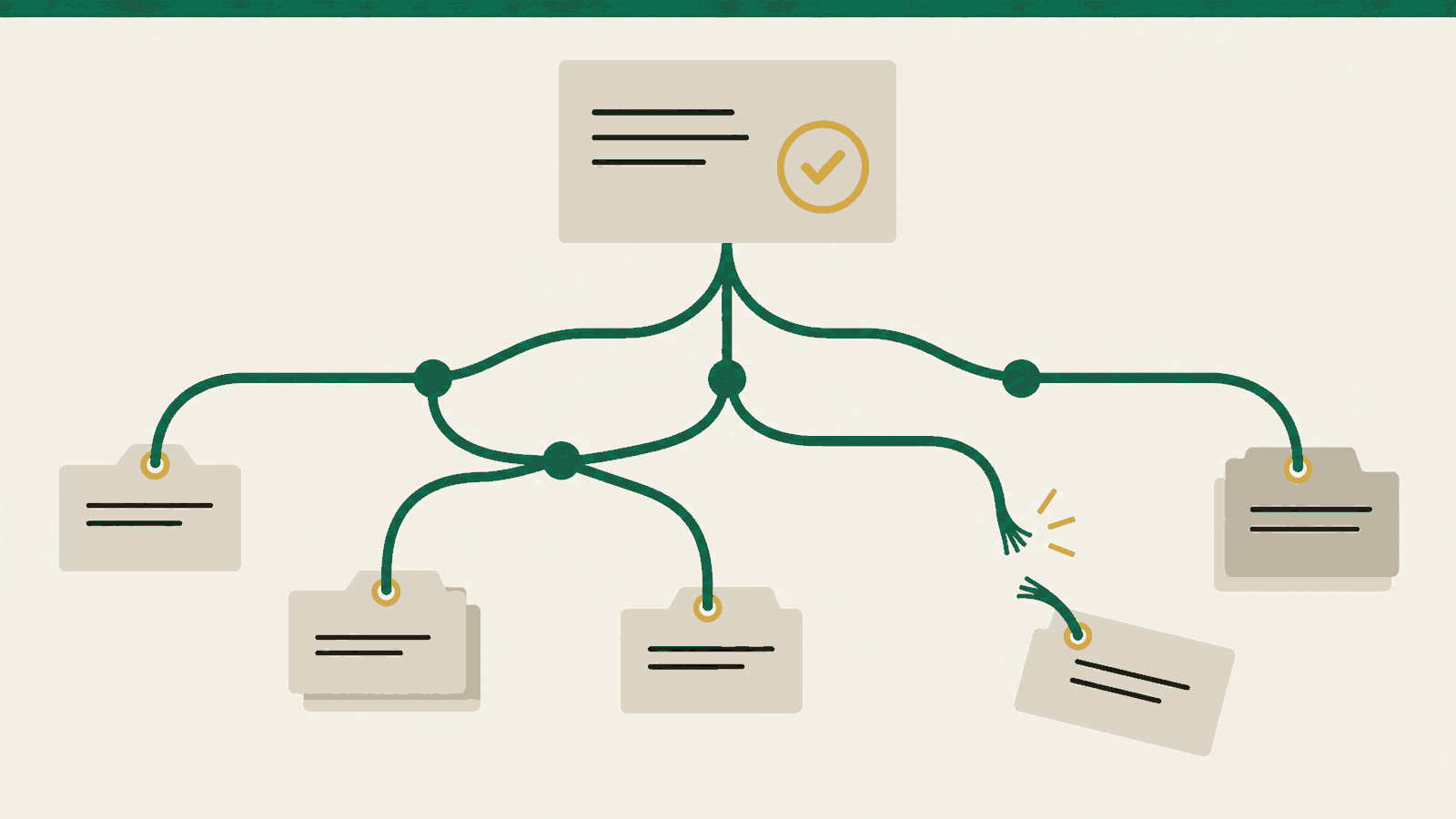
As agentic software development becomes more common, it puts new pressure on familiar tools like Git. Agents create branches, checkouts and intermediate history as they work. That state can outlive the task: extra checkouts still occupy space, and branches can retain history after the pull request merges. When agents create it faster than you retire it, cleanup has more to inspect and the machine has less room for the next task.
In one reported Assay incident, five overlapping cleanup sweeps each took 8–12 minutes against roughly 657 worktrees, separate checkouts sharing a Git repository. They ran at session startup, repeatedly read the same history, and delayed allocating new work. The report is retrievable with gh issue view 1037 --repo medici-finance/assay. These timings describe that repository and cleanup implementation, not a benchmark for every Git operation.
A separate reported inventory, retrievable with gh issue view 2504 --repo medici-finance/assay, counted 7,896 local branches across four repositories. Worktree cleanup and remote branch deletion had left local branches behind. That count shows accumulated references; it does not measure reclaimable bytes.
Deleting everything old risks losing unpublished changes or review evidence. Finishing the task, retiring its references, and reclaiming storage are separate steps. Give each temporary resource an owner and a retirement condition; the example below shows how to identify what still holds a completed task’s history before deciding what can go.
a branch can disappear while its history remains
Consider an agent fixing a CSV export. It makes commits C, D and E on a task branch. A reviewer opens a linked worktree: another directory of checked-out files that shares the repository’s history. This is an illustrative task, reproduced in a disposable repository for the inventory below.
Git stores commits, directory snapshots and file contents as objects. A branch name is a small reference, or ref, to its latest commit. Following E’s parent links reaches D, C and their earlier history; following each commit’s snapshot reaches the files it needs. Those objects are reachable from that branch. Deleting its name removes one route to them. Git terminology
For agent tasks with many intermediate corrections, a squash merge keeps main focused on one accepted change per task and gives you one commit to revert. Use a regular merge when the individual commits are meaningful history you want to preserve.
Now squash-merge the fix. Main receives one new commit, S, containing the accepted change. The original C–E commits do not become ancestors of main. With an ordinary merge they would, and deleting the task branch would leave main retaining that history.
The reviewer’s worktree still points to E through HEAD, Git’s record of what that checkout has checked out. A detached HEAD points directly to a commit rather than a branch. The original checkout also has a HEAD reflog: a local record of previous positions, including E before switching back to main. It can keep the task history recoverable after the task branch and review worktree are gone. Reflogs


The figure’s point is the delay between removing a holder and removing stored objects. C–E survive while any holder needs them. Only after the remaining retention checks and normal recovery periods allow it can garbage collection reclaim their unneeded objects. Main’s history and any file objects it shares with the task remain. A tag, stash, another ref or another repository borrowing objects can change this outcome. Garbage collection
Remote branches need their own accounting. The branch on the server, your local record of it such as origin/task, and your local task branch are separate refs. Server-side deletion leaves the local copies to reconcile. Fetch pruning removes stale tracking refs according to the configured mappings; check its scope, especially tag-pruning options. Fetch pruning
start with an inventory you can read
These read-only commands locate the shared store, report object storage, and list its worktrees and refs. They do not approve anything for deletion:
git rev-parse --path-format=absolute --git-common-dir
git count-objects -vH
git worktree list --porcelain
git for-each-ref --format='%(refname) %(objectname)' refs/
The first command returns the common Git directory: linked worktrees share this maintenance unit. count-objects reports loose and packed storage, and lists alternate stores when present. Neither counts nor sizes say what is safe to reclaim. Object inventory
I ran this on the disposable CSV-export example with Git 2.56.0. This excerpt combines the worktree and ref listings; paths are shortened to <demo> and commit IDs to seven characters:
worktree <demo>/repo
HEAD 1d47cde
branch refs/heads/main

worktree <demo>/review
HEAD 1181372
detached

refs/heads/main 1d47cde
refs/heads/task/csv-export 1181372
The review HEAD and task branch point to the same commit. Removing the branch would leave the review worktree holding it. refs/heads/ identifies local branches; remote-tracking refs live under refs/remotes/. The listing does not include every retention source: inspect reflogs and staged work separately, and check whether other clones borrow this store before allowing reclamation.
The recovery record needs a separate look. In the same example, this read-only command shows the original checkout's recent HEAD positions:
git reflog show HEAD --format='%gd %h %gs' -n 4
HEAD@{0} 1d47cde commit: S accepted CSV export change
HEAD@{1} 39a3813 checkout: moving from task/csv-export to main
HEAD@{2} 1181372 commit: E final
HEAD@{3} b268aa0 commit: D quoting
HEAD@{2} records E, the same commit held by the task branch and review checkout. This is a recovery record to retain under the repository's normal expiry policy. Repeat the inspection in relevant worktrees; four entries are only this example's excerpt, not a complete retention audit. git diff --cached --stat inspects staged changes, and git status --short --untracked-files=all lists changed and untracked files. Both returned no entries in this fixture; ignored evidence still needs a separate check. Git cannot enumerate every other clone that borrows its objects, so unresolved borrowing relationships are a reason to hold reclamation.
agents multiply the cost of unfinished cleanup
Worktrees give parallel agents separate files and staging indexes—the lists of changes prepared for their next commits—while sharing much of Git’s storage. This isolation helps implementation and review, but creates more directories and holders to retire. git worktree remove removes a checkout; git worktree prune clears stale bookkeeping for directories already gone. Worktrees
Removing a worktree and deleting a remote branch do not retire its local branch. The branch inventory above exposed that gap: cleanup covered the checkout and the server, but left a local reference keeping the task’s history available.
The startup incident also exposed repeated work inside the cleanup tool. Its merged fix shares one mainline walk and object cache across a sweep, batches removals, and prevents overlapping sweeps from repeating the work. Retiring completed tasks reduces the state to inspect; fixing repeated scans reduces the cost of inspecting what remains.
decide whether the work is disposable
Age tells you what to inspect first. Before retiring a worktree, establish who owns it, whether a session still uses it, and whether it holds unpublished changes or evidence. Save required untracked and ignored files too: a clean tracked-file status does not prove that everything in the directory is disposable.
For a branch, establish whether its result landed or its owner explicitly discarded it. Squash merges need special care because the reviewed commit is not an ancestor of main. Comparing patches can help, but finding the same patch somewhere in main’s history is insufficient: main may have later reverted it, and the branch may intentionally restore it. Ambiguous work stays. Any collector using that proof needs to handle this counterexample. Recorded finding
Coordinate retirement with allocation. Checking a branch and then deleting it leaves a window in which another agent can start using it. Confirm both the exact commit under review and exclusive permission to retire its holder.
maintain the shared store after retiring its holders
Objects may be separate files, called loose objects, or compressed together in pack files. Git’s maintenance tasks organize this storage: pack-refs compacts refs, commit-graph prepares metadata for history queries, and loose-objects and incremental-repack organize object packs. They do not decide which agent task is finished.
Give one scheduler responsibility for the common Git directory. Check git --version and choose explicit tasks; for example:
git maintenance run --task=pack-refs --task=commit-graph
This updates reference and history metadata; it is not an object-deletion recipe. Schedule packing separately with measured work limits. The documented default for incremental repacking can consolidate all packs. The standard incremental schedule also includes network prefetch, which needs an explicit choice in an offline agent environment.
When reclamation is needed, coordinate the maintenance gc task with other maintenance. Standalone git gc does not share the maintenance lock. Incremental packing does not replace unreachable-object expiry. Git maintenance
Keep normal recovery retention. Immediate reflog expiry and gc --prune=now remove recovery options and increase concurrency risk. Collection also leaves large files retained by main’s history intact, even after a later commit deletes them. Keep generated binaries and caches out of Git; rewriting existing history is a separate migration. Git GC
cleanup cannot fix every slow Git operation
A healthy repository can still be slow when a tool repeatedly reads the same data. We found and fixed that pattern in Assay's use of go-git, the Go library its tools use for Git operations. Cleanup reduces obsolete state to inspect; the reader fix avoids repeating work during an operation. Its implementation and narrow test result are in the technical companion.
how Assay manages this
Assay organizes agentic development into intake, implementation, review and verification roles. Its desk tools are command-line helpers those roles use to allocate work and manage its lifecycle.
deskdispatch records a claim—who owns a task—and provisions its worktree and agent instructions. deskboot prepares a session and invokes cleanup. These give allocation and retirement a consistent place in the workflow. Desk adapters
deskwt creates, removes and prunes worktrees, with role-session setup and teardown commands. It limits operations to approved paths, protects the shared checkout and has no force flag. Its dry run reports the plan; interval mode repeats sweeps; explicit options handle stale locks and dead sessions. It reports held candidates and their reasons. Untracked build output does not necessarily block removal, so preserve needed evidence first. Worktree tooling
Allocate: deskdispatch records ownership and prepares the worktree.
Finish: retain the result and evidence; establish who still needs the checkout.
Retire: deskwt reports eligible candidates and explains holds.
Maintain: local-branch collection and bounded offline maintenance have merged; scheduling and object reclamation remain separate work.
General local-branch collection merged in PR #2508. The alternate-reader performance fix merged in PR #2512; availability in an installation still depends on its release version. PR #2516 added bounded, manually invoked offline ref packing and commit-graph updates and has also merged. Automated scheduling and object reclamation remain outside that change; issue #2513 tracks the broader maintenance work. Check your installed release version before relying on a capability.
Four surrounding lifecycle improvements have also merged: retrying interrupted scratch deletion, checking free space on checkout and temporary volumes, reconciling ownership claims safely and retiring inactive detached review worktrees under conservative checks. These changes were merged by October 10, 2026. Check which are included in the release you have installed.
For an Assay installation, inspect the worktree cleanup plan with:
deskwt prune --repo /path/to/repository --dry-run
Read the held reasons alongside the removal plan. A collector that retains every candidate may be correctly preserving work whose owner or completion state is unresolved.
give completed work an end condition
At allocation, record the task’s owner, branch or detached commit, worktree, scratch location and evidence to retain. Include refs created by automation, not only branches.
At completion, preserve the result, resolve unpublished changes, release ownership claims through the tool that created them, and queue eligible branches and worktrees for retirement. A supervisor should recover this sequence after a crashed session.
Periodically, reconcile remote-tracking refs and run measured maintenance for the common repository. A daily inventory is a reasonable starting policy; use measured growth and operation times to set the maintenance cadence. Hold unexplained or active resources and route them to an owner.
When unique work remains, its owner must continue, land, archive with a retention deadline, or explicitly discard it. Renaming abandoned branches into an archive namespace leaves their objects retained.
Track whether ref counts, worktree counts, storage and operation times grow between sweeps. Test old repositories as well as fresh clones, and count repeated history or index reads in performance tests.
Budget build caches, dependencies, logs and scratch separately from Git. They can fill a host even when its object store is healthy.
A successful cleanup exit code only says the command completed. Check whether finished work is retiring, why other work is held, and whether repository operations remain affordable.
check your own repository
Use the example to find what is keeping a finished task’s history alive. Measure cleanup time and disk use on your own repository; the incident reports here describe particular repositories and tools. Before removing anything, confirm that the task is finished, its evidence is saved, and nobody still needs the worktree. Check your installed Assay version before relying on any of the features discussed above.
Watch the explainer above, read the full transcript or browse the visual storyboard.